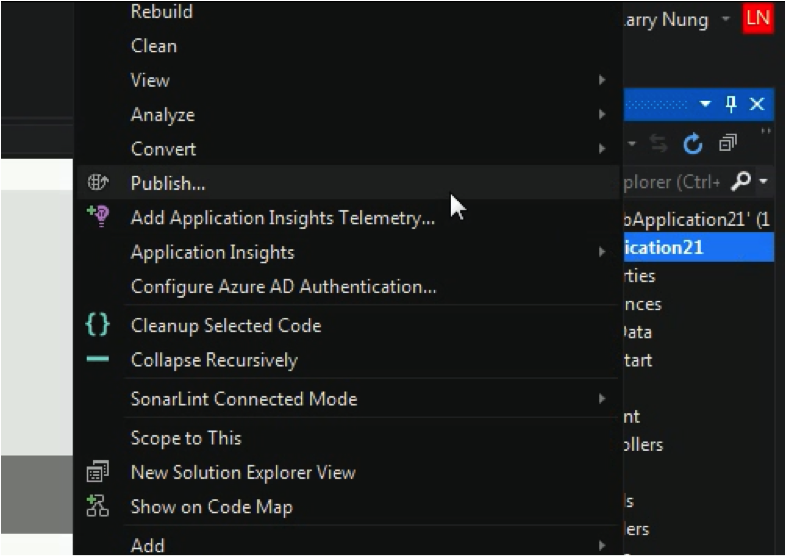
要使用 Visual Studio 建立 Web Deploy package,首先在方案總管的專案上按下滑鼠右鍵,點選 Publish... 滑鼠右鍵選單選項。
Web Deploy - Generate Web Deploy package with Visual Studio

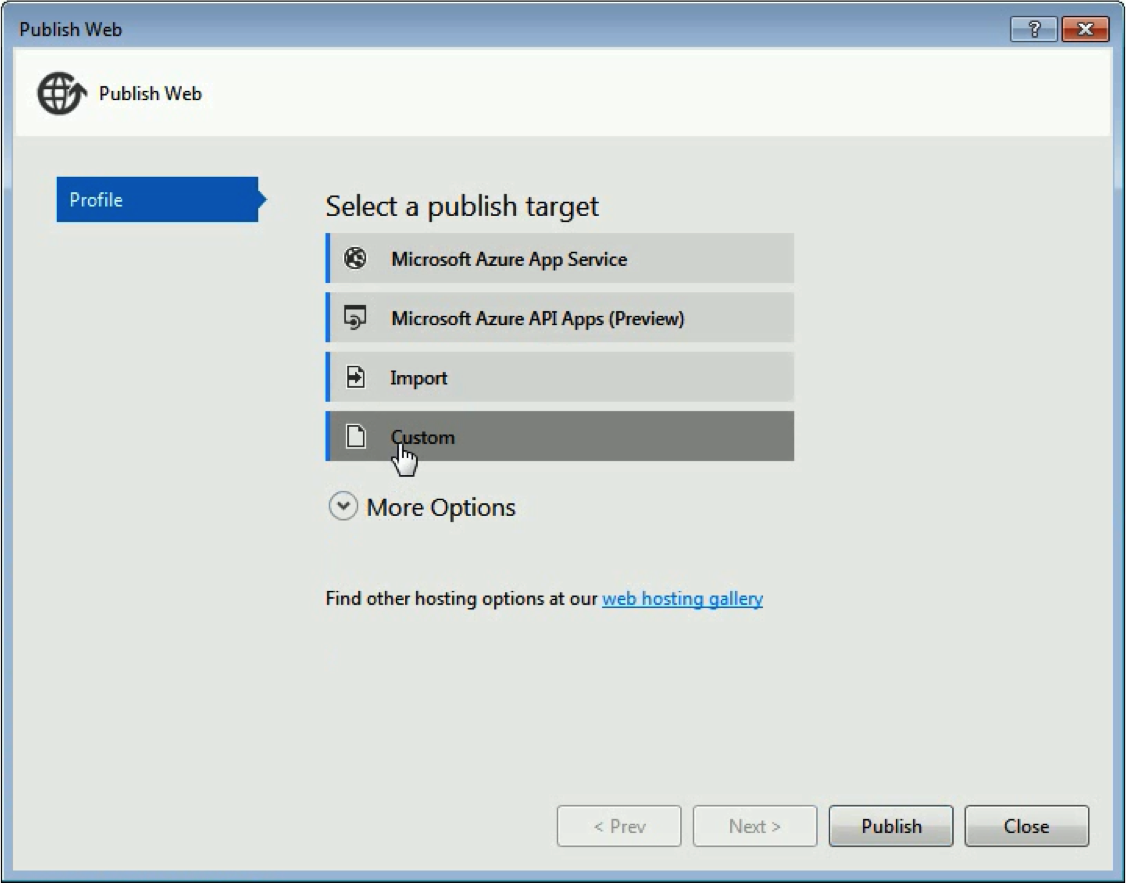
在 Publish Web 視窗中選取 Cuetom Profile。

Web Deploy - Generate Web Deploy package with Visual Studio

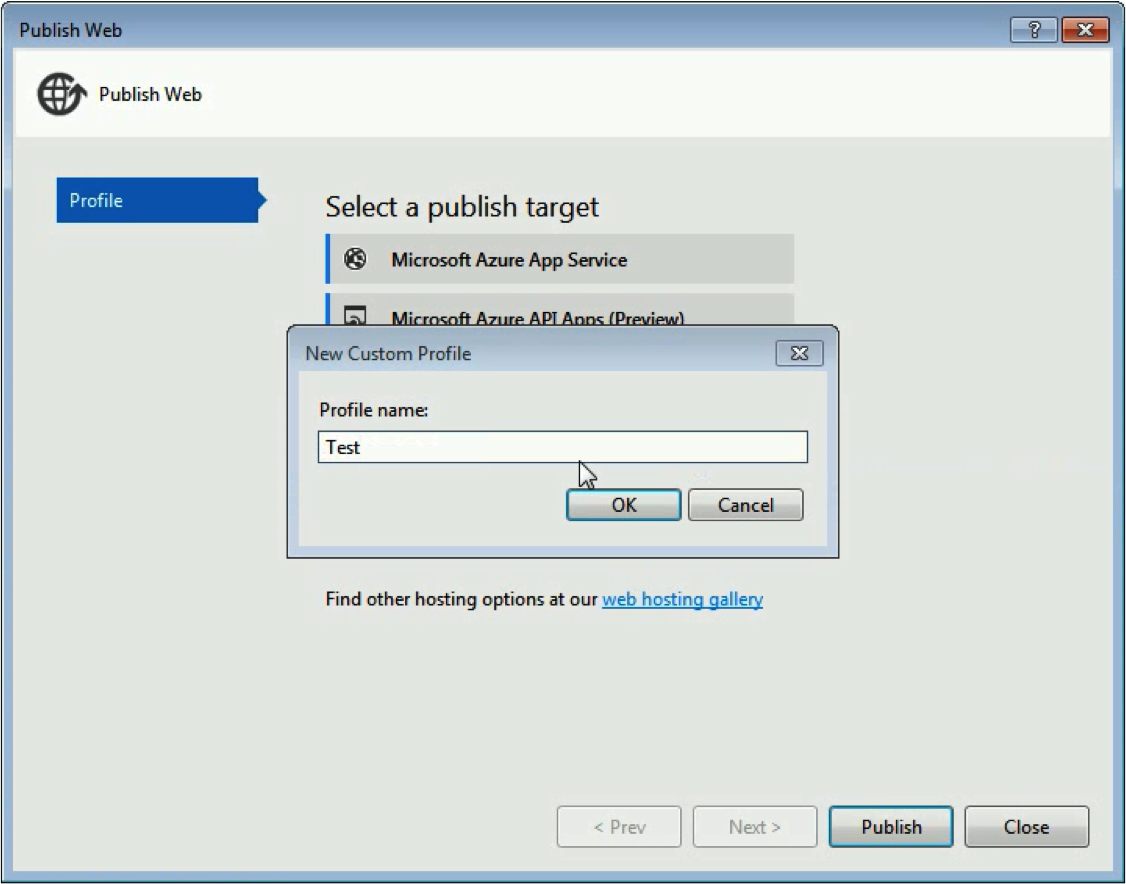
設定 Profile 的名稱。

Web Deploy - Generate Web Deploy package with Visual Studio

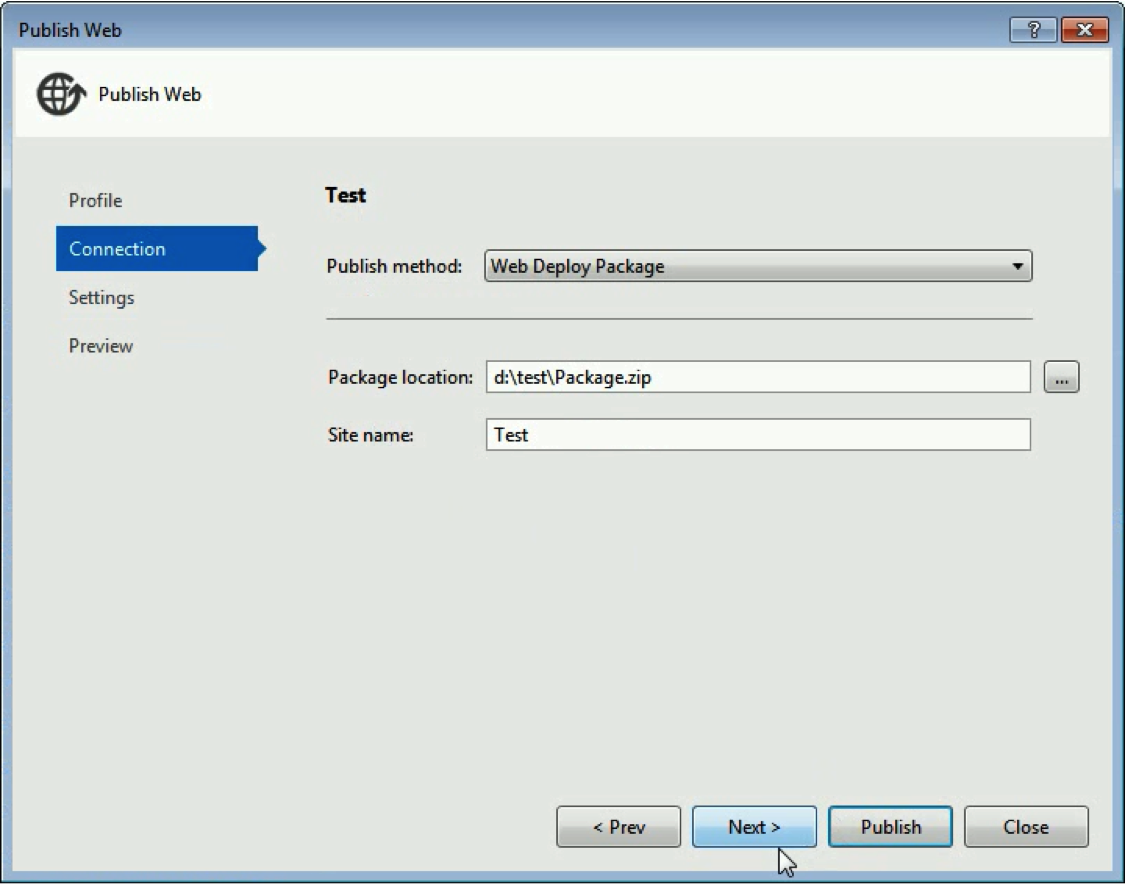
接著 Publish method 選定 Web Deploy Package,設定 Package 放置的位置以及要佈署的站台名稱。
Web Deploy - Generate Web Deploy package with Visual Studio

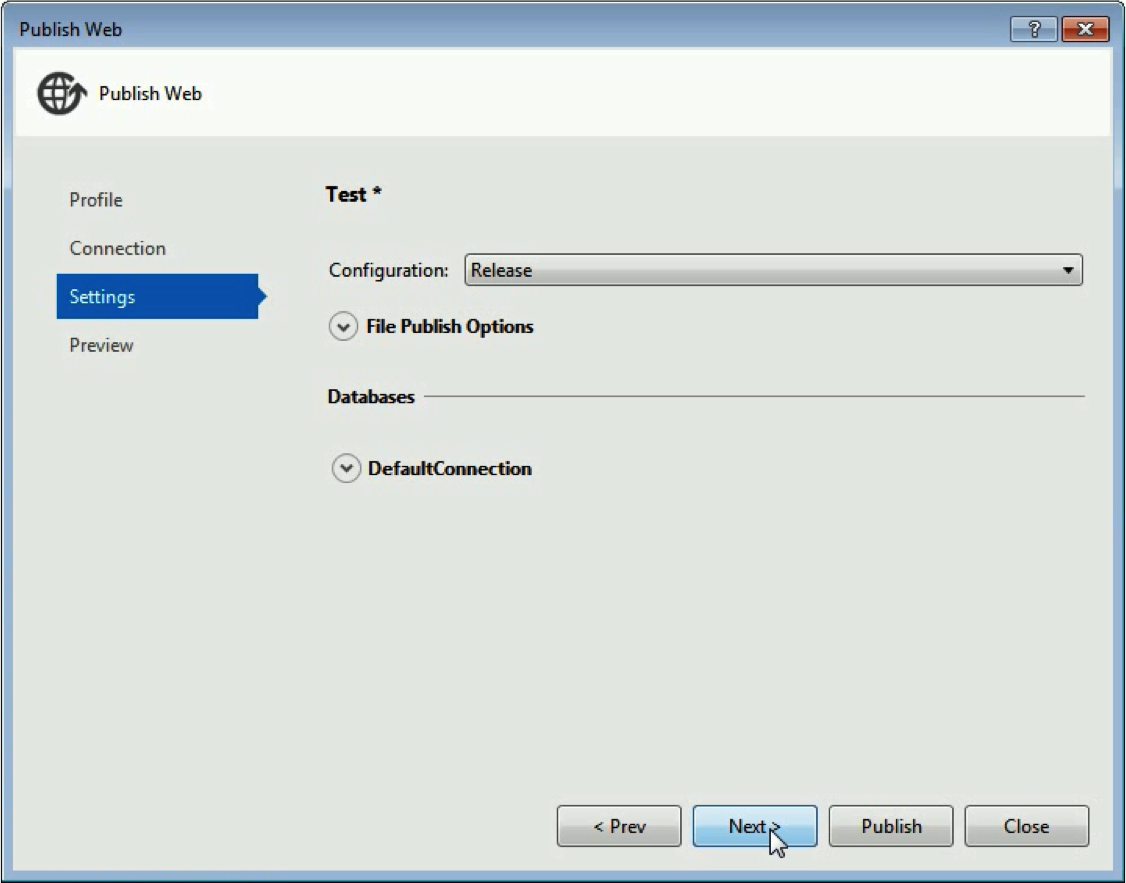
再來選定要建置的 Configuration。

Web Deploy - Generate Web Deploy package with Visual Studio

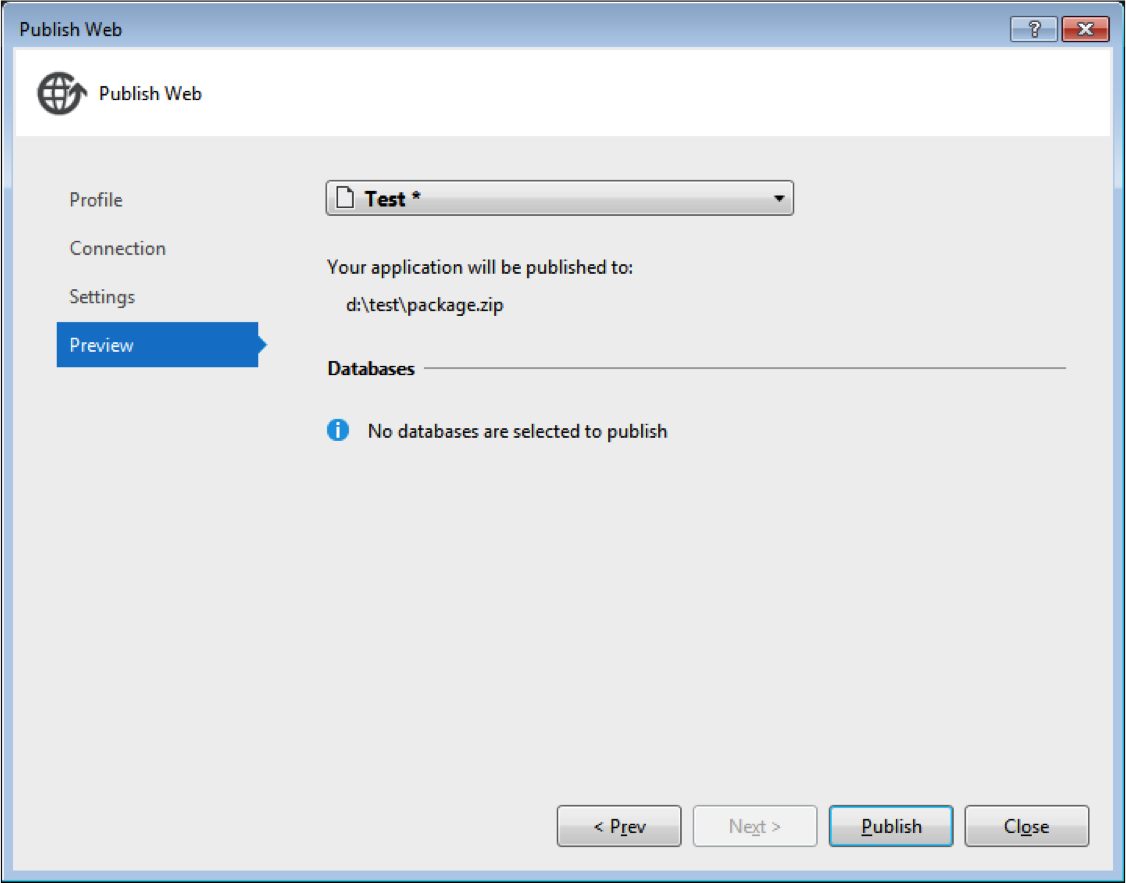
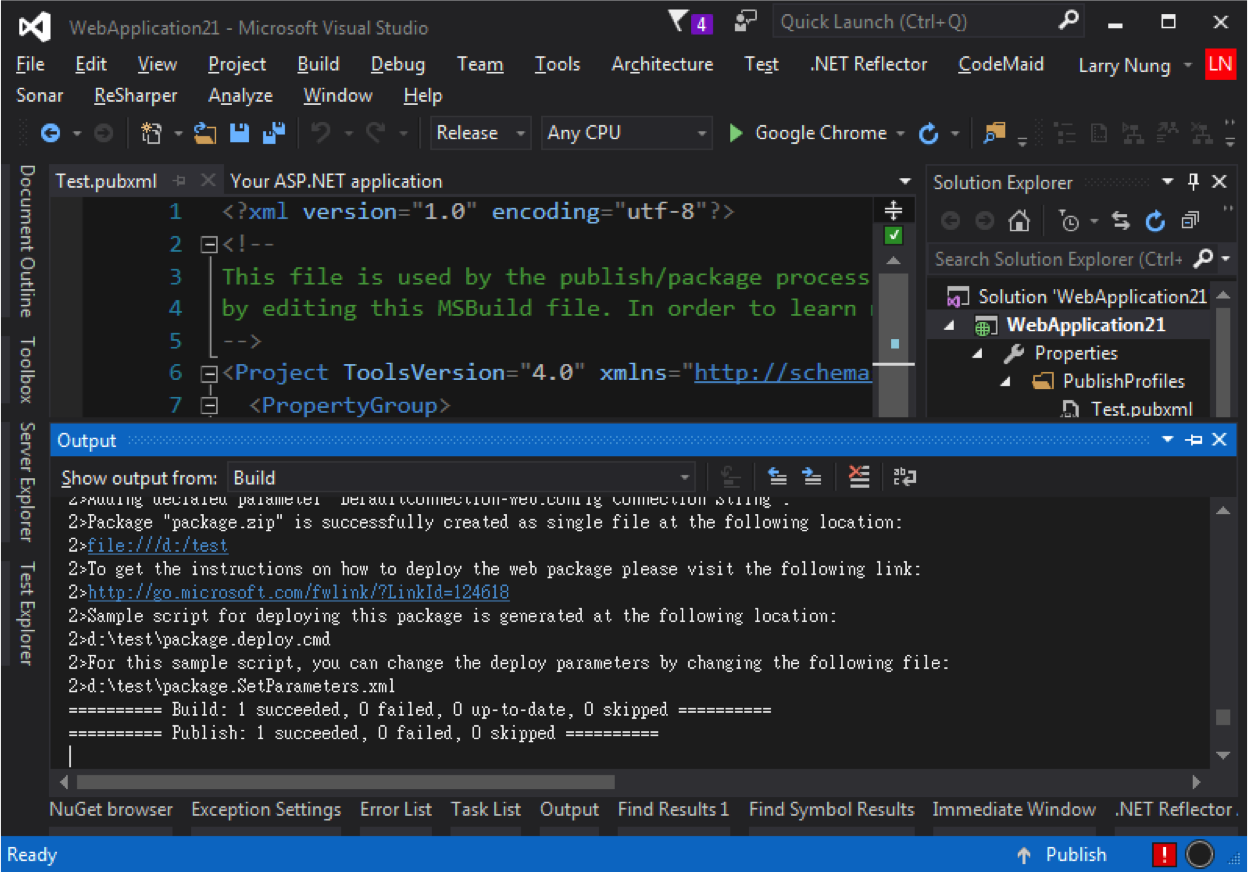
進行發佈。

Web Deploy - Generate Web Deploy package with Visual Studio

Web Deploy - Generate Web Deploy package with Visual Studio

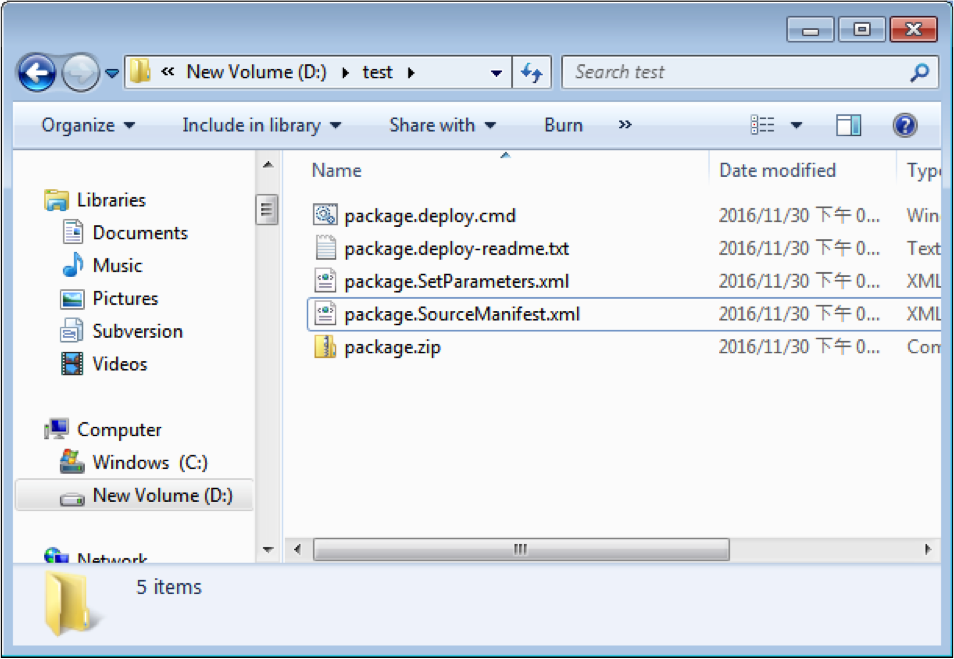
發佈完成就可以在指定的位置看到產出的 Web Deploy package。
Web Deploy - Generate Web Deploy package with Visual Studio